

Plans and Billing
Usermaven offers two plans for new customers: Business and Enterprise.
Pricing for both plans is customized to your requirements and is provided by our sales team after a short conversation about what you need. We do not publish fixed plan prices. To discuss your requirements and get custom pricing, book a demo.
Business plan: Our standard plan, covering Usermaven's core analytics and attribution capabilities. Pricing is customized to your requirements.
Enterprise plan: Built for larger organizations with advanced and custom requirements. It includes unlimited users, custom workspaces, and unlimited data history, while building on everything in the Business plan. Enterprise customers gain access to custom integrations, data warehouse exports, tailored reports and dashboards, on-premise or private-cloud deployment options, advanced security and privacy compliance, concierge onboarding, a dedicated customer success manager, periodic check-in meetings, and high-priority support.
Pricing for both plans is customized to your requirements and provided by our sales team. To discuss your needs and get custom pricing, book a demo.
Included on every plan: auto-captured events, ad-blocker bypassing, and a cookie-less tracking option.
Add-ons
Guided setup & tracking plan: An add-on that includes expert guidance for initial setup and tracking, a business model questionnaire and Q&A sessions, a customized tracking plan, implementation support with documentation, testing and validation of your tracking system, reports and dashboards setup inside Usermaven, and a summary with maintenance recommendations. Note: this add-on provides guidance but does not include writing or deploying code on your behalf.
White label: Removes Usermaven branding so you can deliver analytics entirely under your own brand. Includes custom branding, custom themes, your own dashboard domain, a custom tracking domain, white-labeled emails, and multi-workspace support.
BigQuery export: Continuously exports your raw Usermaven event data to your own Google BigQuery project, so you can query it directly and connect it to your BI tools.
Add-ons are included in your custom quote. Book a demo to discuss pricing.
Current plan
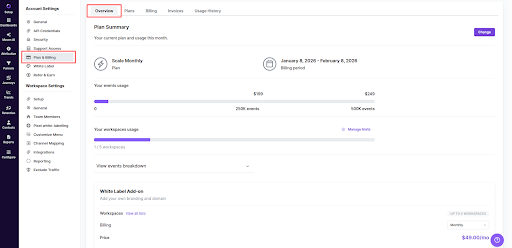
To view your current plan:
Go to Account Settings
Open Plan & Billing
Stay on the Overview tab
Here you can see:
Your active plan
Your billing period
Event usage for the current cycle
Workspace usage -Your next billing date
When you sign up, you are enrolled in the plan you selected during the signup process.
Billing details
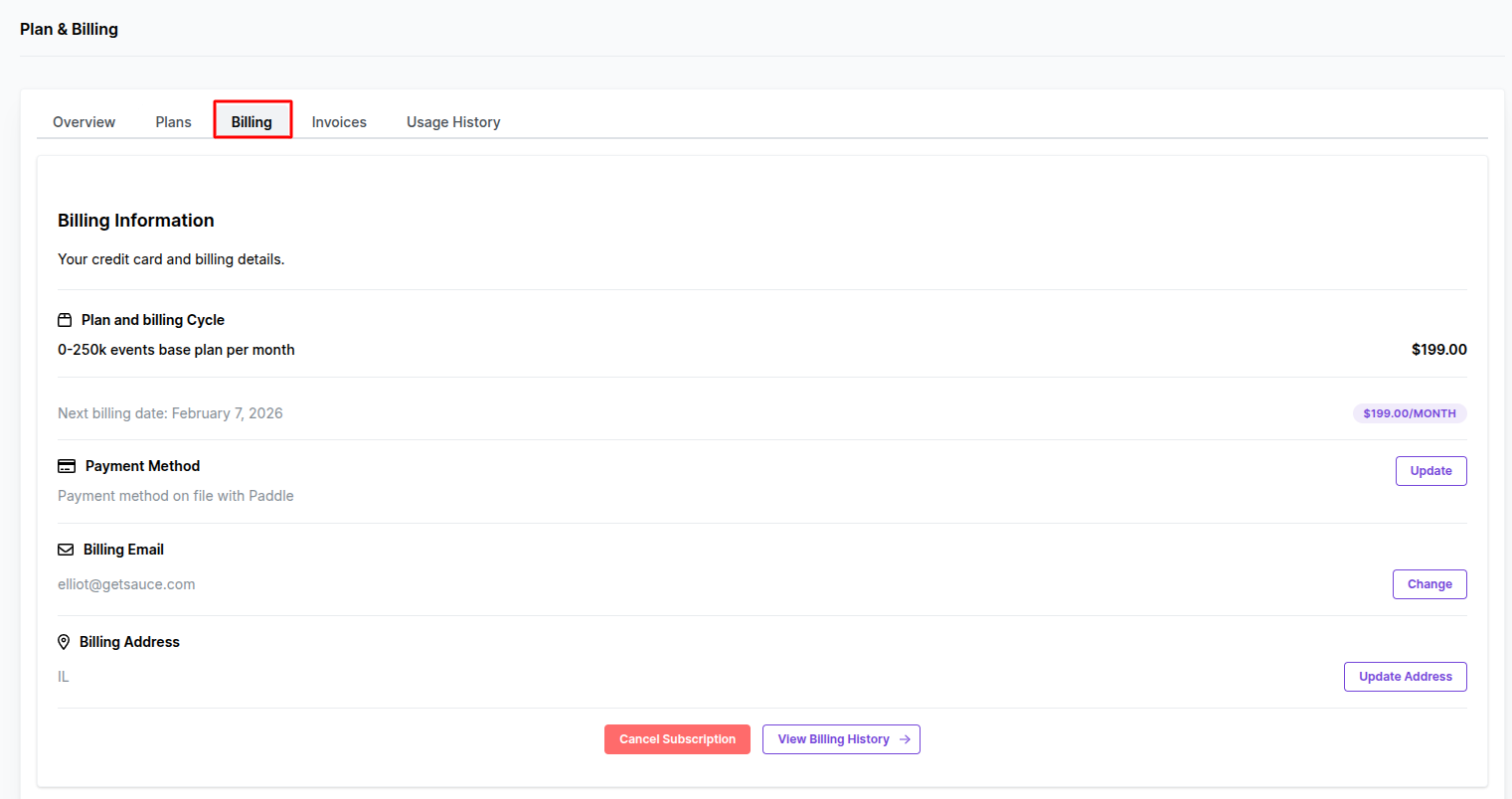
Once you subscribe to a Usermaven plan, your billing information is available under:
Account Settings → Plan & Billing → Billing
From this page, you can view:
Your current plan and billing cycle
Monthly price
Next billing date
Payment method
Billing email
Billing address
Update payment method
To update your credit card:
Go to Plan & Billing → Billing
Click Update next to Payment Method
You will be redirected to Paddle
Enter your new card details and save
Change billing email
To change your billing email:
Go to Plan & Billing → Billing
Click Change next to Billing Email
Follow the on-screen instructions
Invoices
To view your invoices:
Go to Account Settings
Open Plan & Billing
Select the Invoices tab
From here, you can:
View all past invoices
Check payment status
Open and download invoices
Have questions about VAT, invoices, or Paddle billing?
If you have questions about VAT, invoices, or Paddle billing, check the VAT and Invoices guide.
For payment-specific issues or missing invoices, you can also visit Paddle.net.
Was this article helpful?