

Change Password
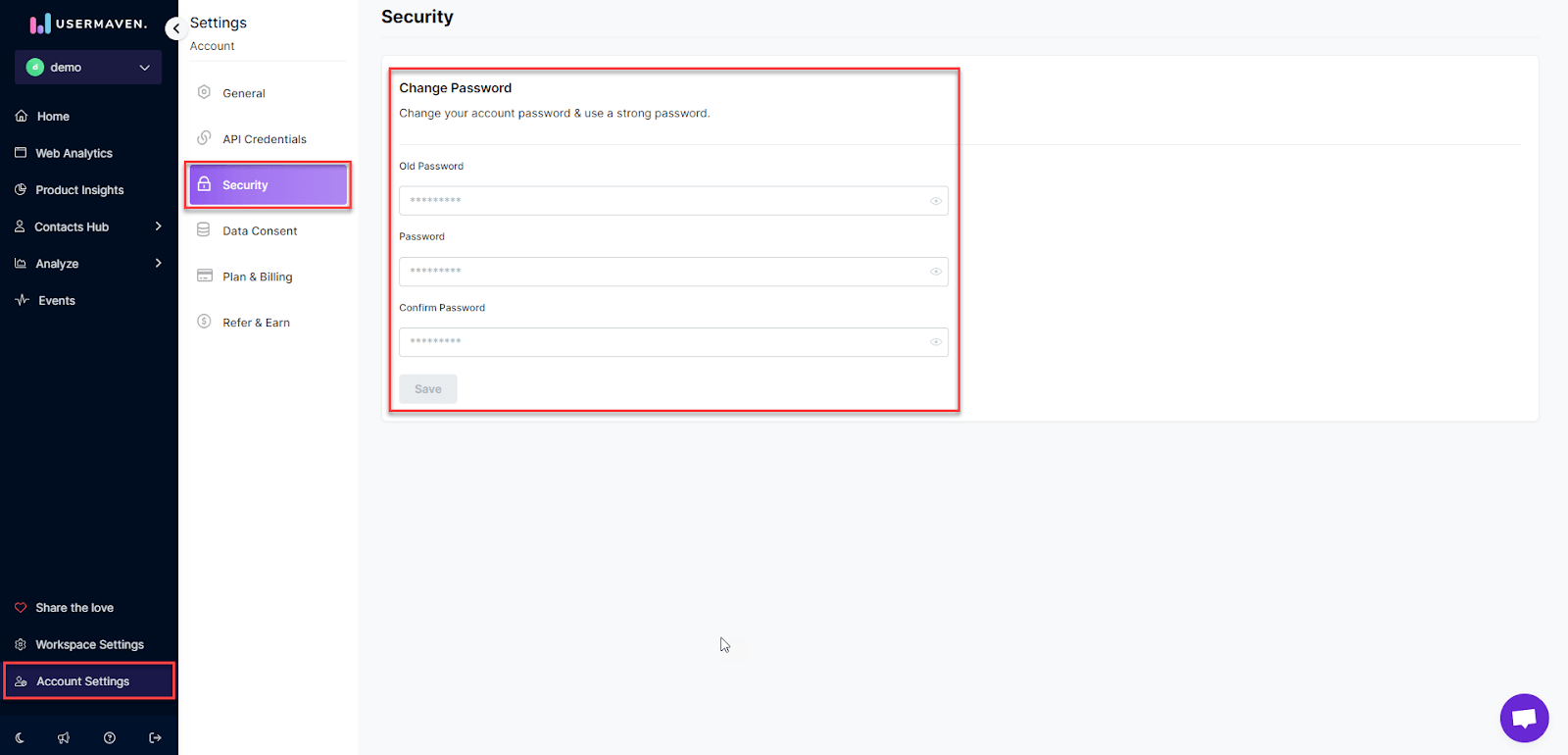
The email address and password you use to log in to Usermaven are a part of your Account.You can access and change your account password by following the given steps:
When you log in, click on 'Account Settings' located at the bottom-left corner of your screen.
From the available options, select 'Security.'
Enter your old and new password to make the change.
Was this article helpful?