

Reporting preference for SaaS product insights
Usermaven offers a flexible reporting approach, allowing users to tailor their product insights to their specific needs. You have the option to customize insights at either the user level or company level, providing a granular or high-level view of your data.
This means you can choose to dive deep into individual user behaviors or gain a comprehensive overview of how your entire company interacts with your product. Usermaven's versatile reporting options empower you to make data-driven decisions that align with your unique goals and requirements.
Here’s the step-by-step process to do this:
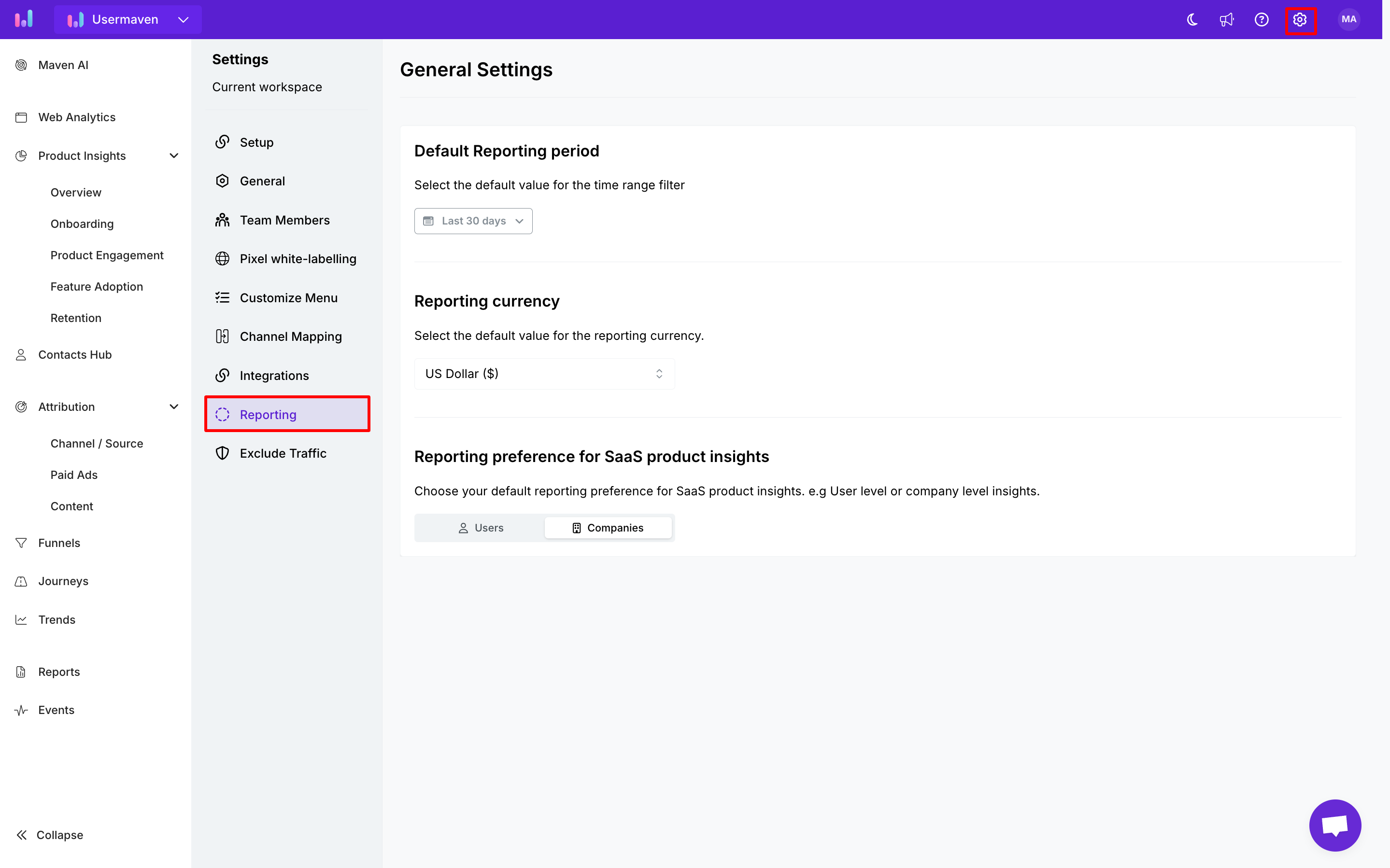
After logging into the platform, click on 'Workspace Settings' in thr top-right corner of the screen. Then, click on "Reporting" from the list of available settings.
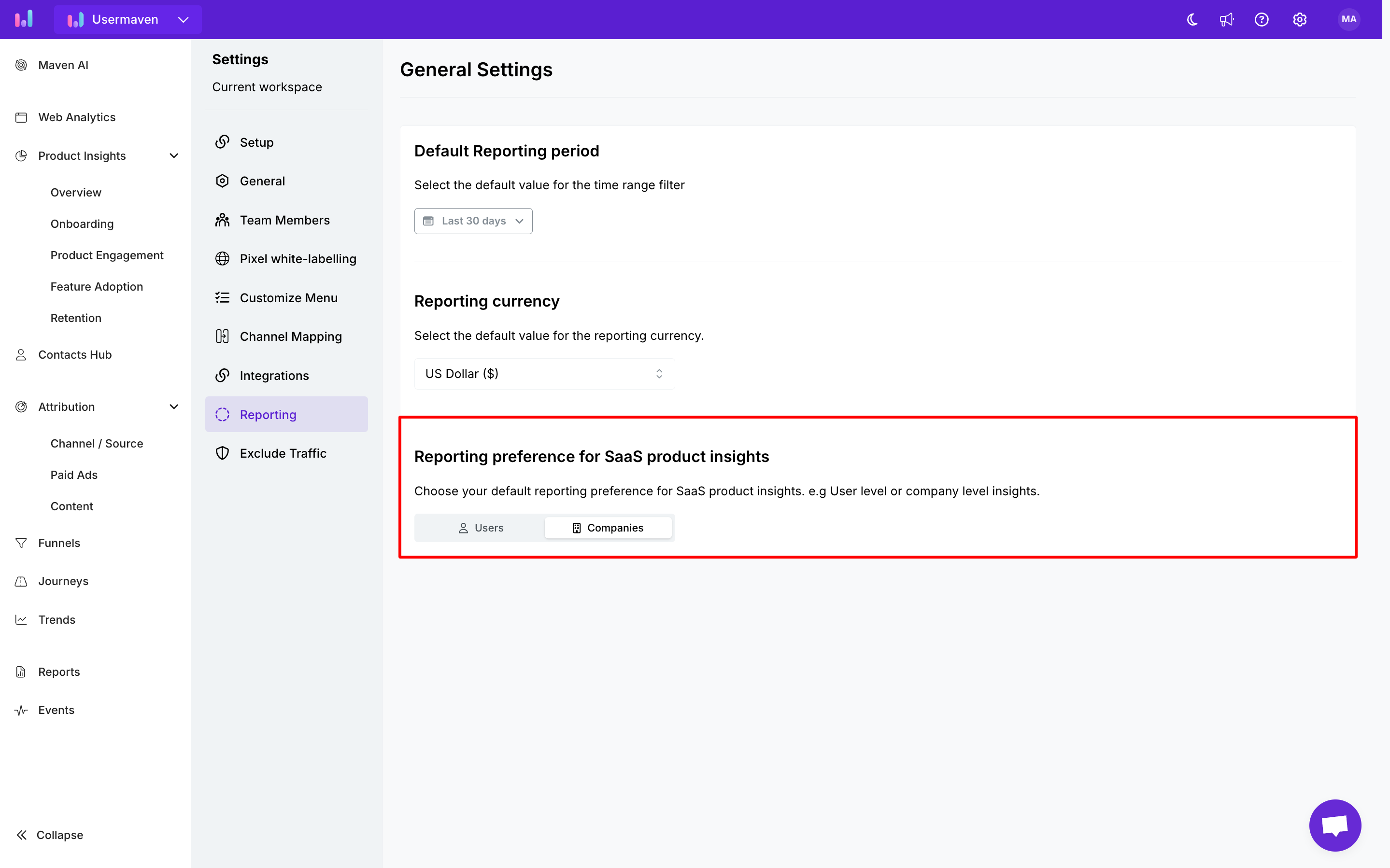
Choose your default reporting preference for product insights. Opt for 'User-level Insights' to gain a detailed understanding of individual user behaviors, allowing you to delve into specific interactions with your product. Alternatively, choose 'Company-level Insights' for a comprehensive overview of overall product usage across an organization.
Based on your chosen preference, your product insights will be reported accordingly.
Was this article helpful?